 USD
USD EUR
EUR GBP
GBP CAD
CAD AUD
AUD HKD
HKD JPY
JPY KRW
KRW SGD
SGD NZD
NZD THB
THB TWD
TWD 繁體中文
繁體中文 日本語
日本語 한국어
한국어 Français
 Español
 Deutsch
 Nederlands
 English



By SvicloudTV BOX | 04 July 2024 | 0 Comments
How to install Adult Apps for SviCloud TV box?
You need to install the "Cherry TV" App for SviCloud TV Box if you want to watch Adult channels. Please refer to the following steps.
1. Click the "Orz" App on the main interface. (You need to install the "Orz" App if your SviCloud TV box runs for the first time.)
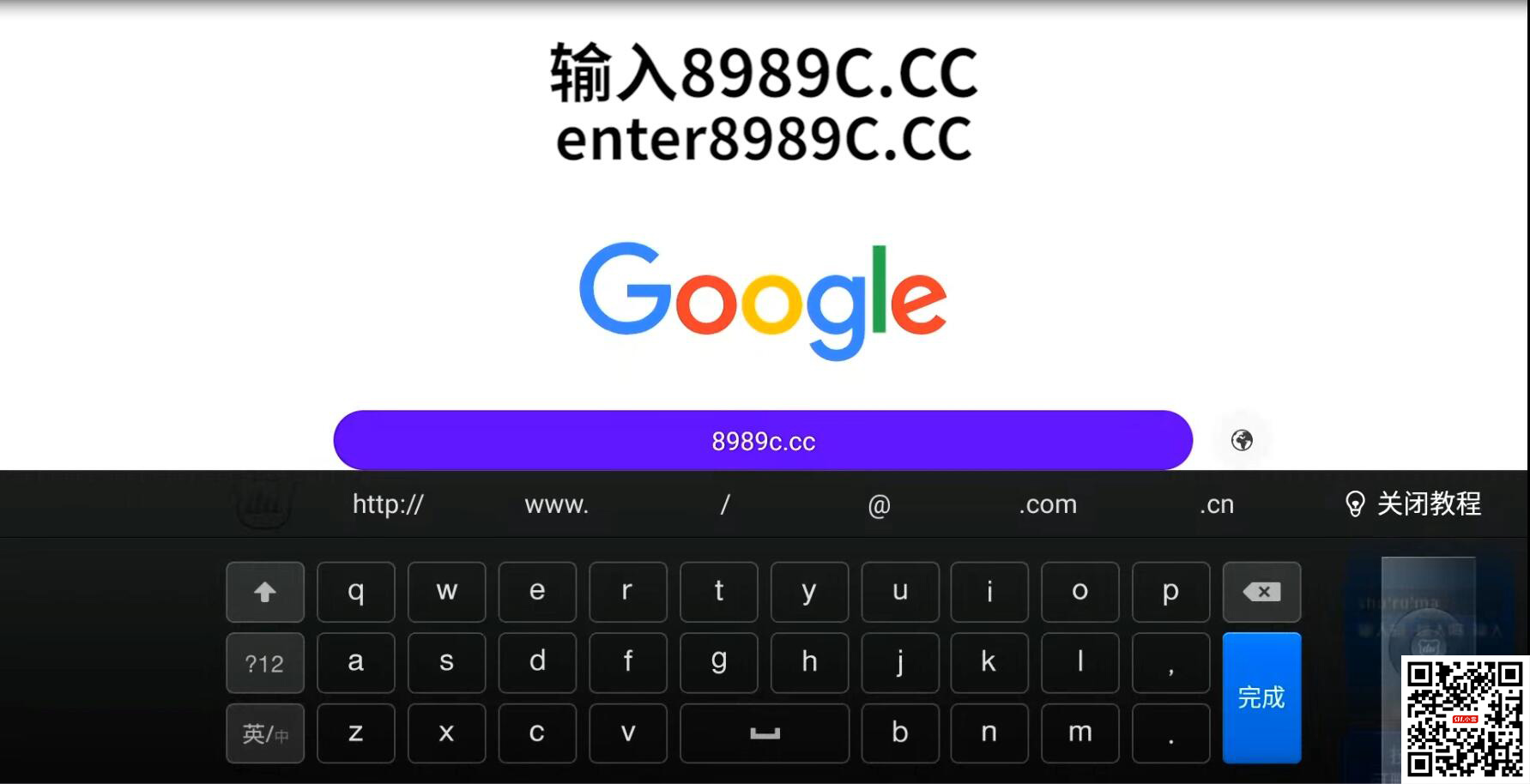
2. Enter "8989c.cc"
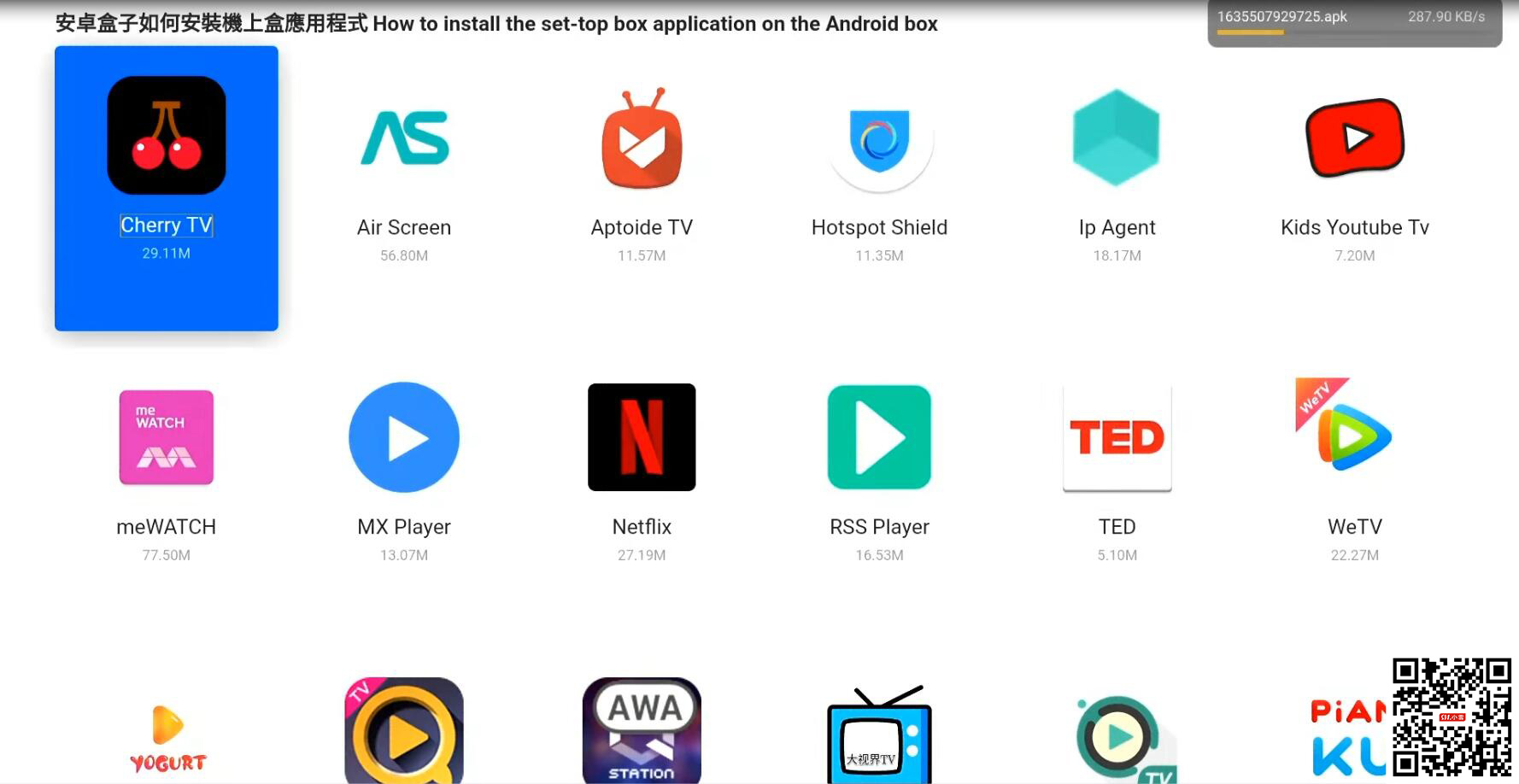
3. Select and install the "Cherry TV App.
4. Back to the main interface. Click the Add icon. Add the "Cherry TV" App to your custom column.
Don't hesitate to get in touch with us if you have any questions about our smart TV box. Thank you. We would love to serve you.
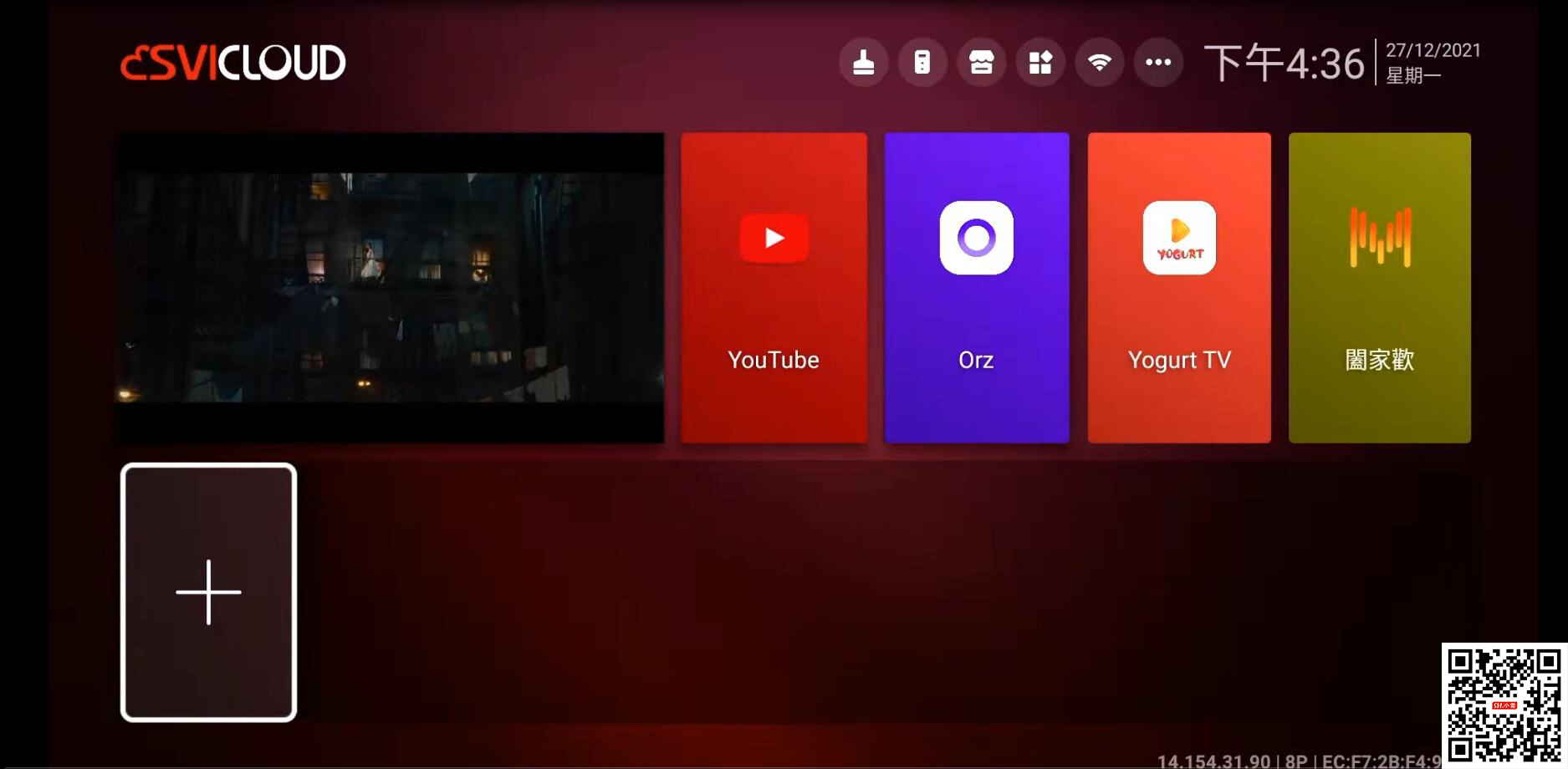
1. Click the "Orz" App on the main interface. (You need to install the "Orz" App if your SviCloud TV box runs for the first time.)
2. Enter "8989c.cc"
3. Select and install the "Cherry TV App.
4. Back to the main interface. Click the Add icon. Add the "Cherry TV" App to your custom column.
Don't hesitate to get in touch with us if you have any questions about our smart TV box. Thank you. We would love to serve you.
ARCHIVES



